
TEACHER COPILOT · AVAILABLE NOW
Teaching materials for grades 6–12.
This available toolkit is part of our additional customer-driven research into teaching workflows.
AI can produce a lesson plan in seconds. You still need to know whether it fits your objective, your class, and tomorrow’s timetable.
Teacher Copilot is a downloadable toolkit with 12 guided workflows for checked, editable first drafts. For Grades 6–12 educators, with your school-approved text AI tool.
US$19 one-time purchase on Gumroad. Not an AI app or subscription.

EXPLORE A SAMPLE LESSON
A sample lesson with adjustable time and support.
Explore four prewritten Grade 7 science lesson plans by choosing the time and support your class needs. This website example uses no live AI and is not an application included in the toolkit.
45-minute lesson · Independent response
Reviewing and adapting the sample lesson.
Learning objective: Explain the direction of energy transfer and use two links in a food chain to predict one possible effect of a drought.
- 0–5 minRetrieve
Identify the producer and two consumers in the source. Check the terms before moving on.
- 5–15 minBuild the chain
Pairs arrange grass → grasshopper → frog. Label each arrow “energy transferred in food.” Ask why the arrow points that way.
- 15–28 minCompare and explain
Pairs explain why nutrients cycle but energy flows. Use the source to correct any claim that energy returns to the grass.
- 28–40 minPredict and qualify
Predict one possible effect of a drought on the frogs. Cite both feeding links and name a condition that could change the prediction.
- 40–45 minExit ticket
Explain one energy-transfer arrow, then write a qualified drought prediction supported by the source.
The longer lesson includes paired comparison and discussion before the independent exit ticket.
See the teacher’s check and example response
“A reduction in grass could mean fewer grasshoppers and less food for frogs. Frog numbers might fall, but other food sources and conditions could change this.”
Accept a supported possibility, not a certain numerical prediction. Check that learners distinguish energy transfer from nutrient cycling. Adapt vocabulary and access to your actual class.
WHY A TOOLKIT, IF YOU ALREADY HAVE AI?
Using the toolkit with your school-approved AI tool.
Your AI tool remains the place you generate text. These files give you a repeatable way to supply the right context, choose an output, review it, and record what you changed.
If you already have a reliable planning and review routine, you may not need another toolkit. This is for educators who want that structure ready to adapt.
A TEACHER’S WORKING WEEK
Work through twelve
recurring teaching tasks.
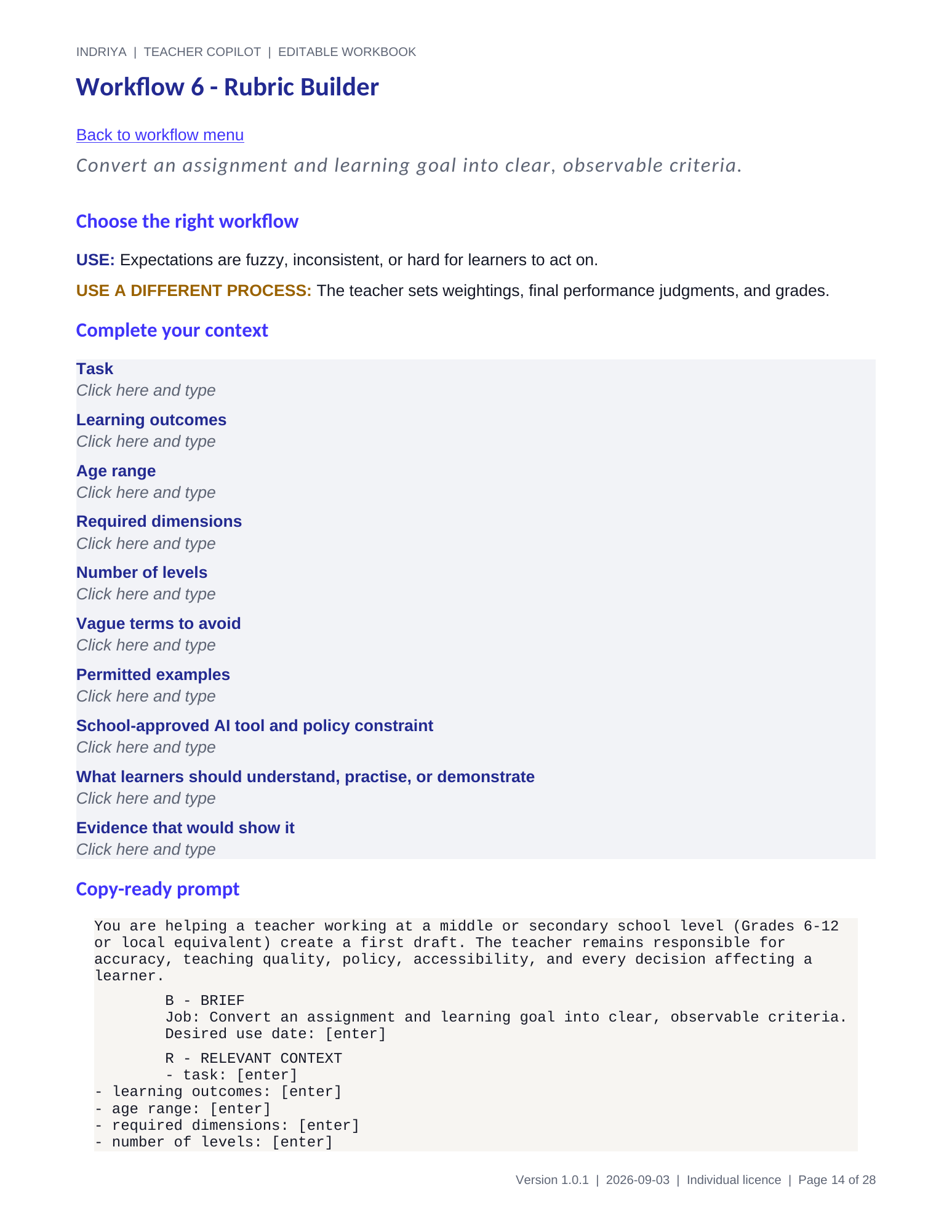
Each workflow includes context fields, a copy-ready prompt, review checks, and a next action.
- 01Weekly Lesson Sequence
- 02Differentiation Ladder
- 03Worked Examples and Non-Examples
- 04Progressive Practice Sheet
- 05Formative Check and Exit Ticket
- 06Rubric Builder
- 07Rubric-Linked Feedback Bank
- 08Misconception Check
- 09Family Communication Draft
- 10Evidence-Based Report Comments
- 11Active Recall Revision Sheet
- 12Substitute-Ready Lesson Plan
WHAT YOU RECEIVE
Editable tools
for your next lesson.
Start with the guide. Choose a workflow. Add context. Draft in your approved tool. Check and edit.
Version 1.0.1 includes eight files: a start guide, workflow playbook, editable Word workbook, Excel navigator, sample inputs and outputs, safe-use card, licence and support guide, and changelog.
Best fit: text-heavy subjects such as English/ELA, humanities, social studies, and general science. This is not automated grading, ready-made curriculum, or a substitute for teacher judgment.
Learn the routine
Start guide and 12-workflow playbook.
Make it your own
Editable Word workbook and Excel workflow navigator, context, review, and run log.
See how to check it
Annotated sample excerpts and a one-page safe-use card.
Before you buy.
Is this software?
No. You download documents and a spreadsheet. You use them with a text AI tool your school permits. An AI tool or paid AI subscription is not included.
Who is it for?
Middle and secondary educators, Grades 6–12 or the local equivalent, especially in text-heavy subjects. Adapt examples to your curriculum, learners, accessibility needs, and school policy.
Can I enter student information?
Use class-level or fictional context. Do not put identifiable student data, confidential records, or sensitive information into these workflows. Follow your school’s policy and use an approved tool.
Can my department share it?
The standard licence covers one named educator and their current classes. It does not permit sharing the source toolkit across a department. Use your Gumroad receipt to ask about team use.
What if I need help or a refund?
Use the support contact in your purchase receipt. The support target is two business days; compatibility corrections are included for 12 months. Refund requests can be made within seven days through Gumroad. The listing and included licence contain the full terms.
TEACHER COPILOT
Bring structure to the next draft.
$19 · One-time purchase · Individual educator licence